
Unlock Your Best Look: AI Hairstyle Analysis for Beginners
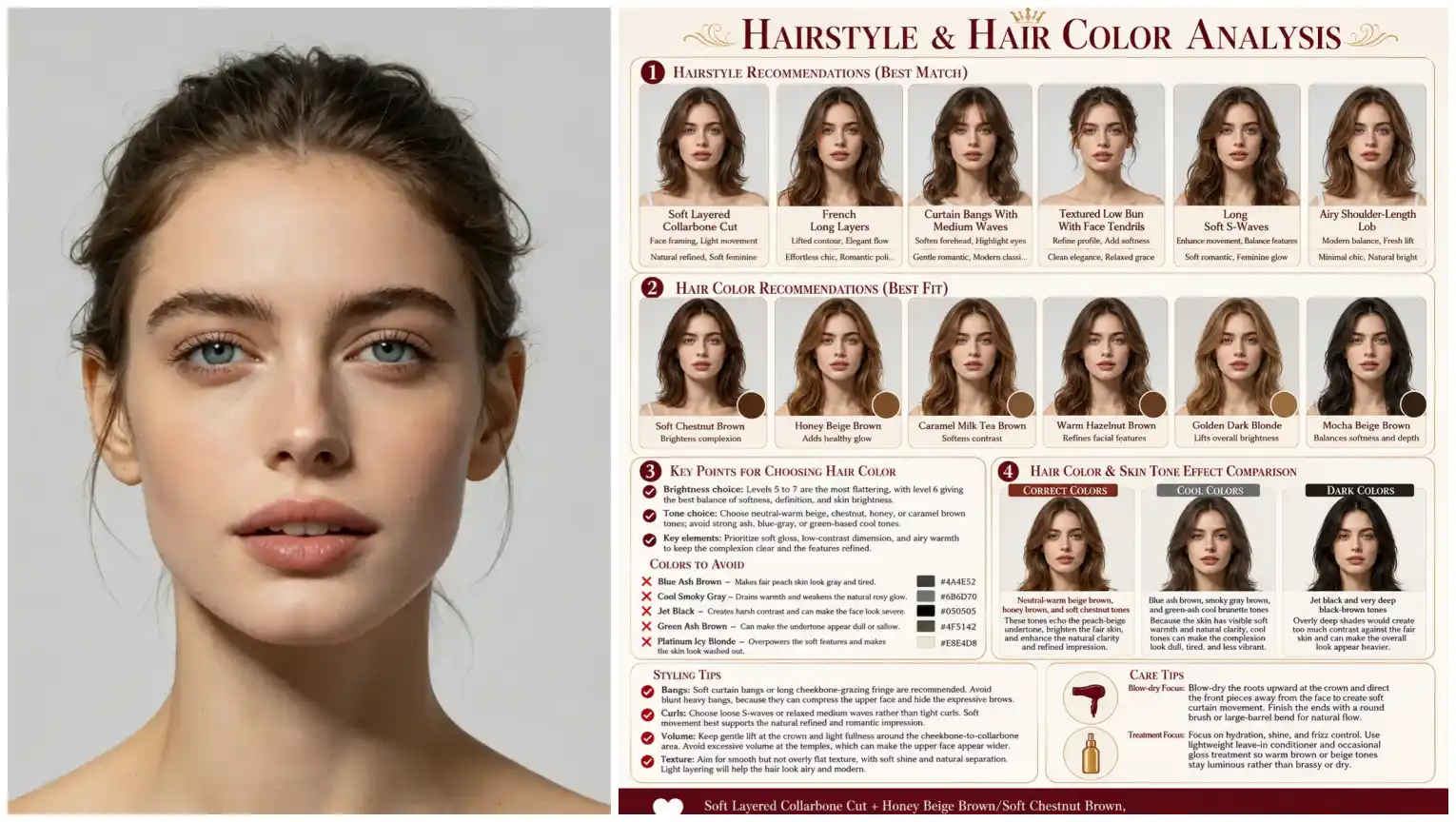
Beginner-friendly guide to AI hairstyle analysis: upload a portrait, get a clear report on face shape and styling tips, then preview recommended looks in one click.
Discover a smarter way to choose a haircut
If you’ve ever wondered which cut or color truly flatters your face, an AI hairstyle analysis can give clear, practical guidance in seconds. This guide walks beginners through the analysis workflow: upload a portrait, receive a personalized report about your face shape and style suggestions, then preview recommended looks with one click. No drawing skills, no prompt writing — just a photo and instant results.
What the analysis report includes
The AI hairstyle analysis produces an easy-to-read report tailored to your portrait. Typical findings include detected face shape, suggested haircut lengths, flattering fringe or parting styles, and color notes that complement your skin tone. The report also highlights practical styling tips and explains why a look might suit you. Everything is written for beginners, so technical jargon is kept to a minimum.
How to get your report in three simple steps
Step 1: Upload a clear portrait. Step 2: Click to start the analysis. Step 3: Read your report and preview recommended looks. That’s it — one click to begin, and nothing to draw or describe. The system then produces a visual and textual guide that helps you make decisions before visiting a salon.
This workflow is ideal for people who want a professional sounding board and realistic previews. After your analysis, you can move on to other available tools: try a template hairstyle and color preview, upload a reference image for a custom preview, or ask for occasion-based recommendations such as work or casual looks.
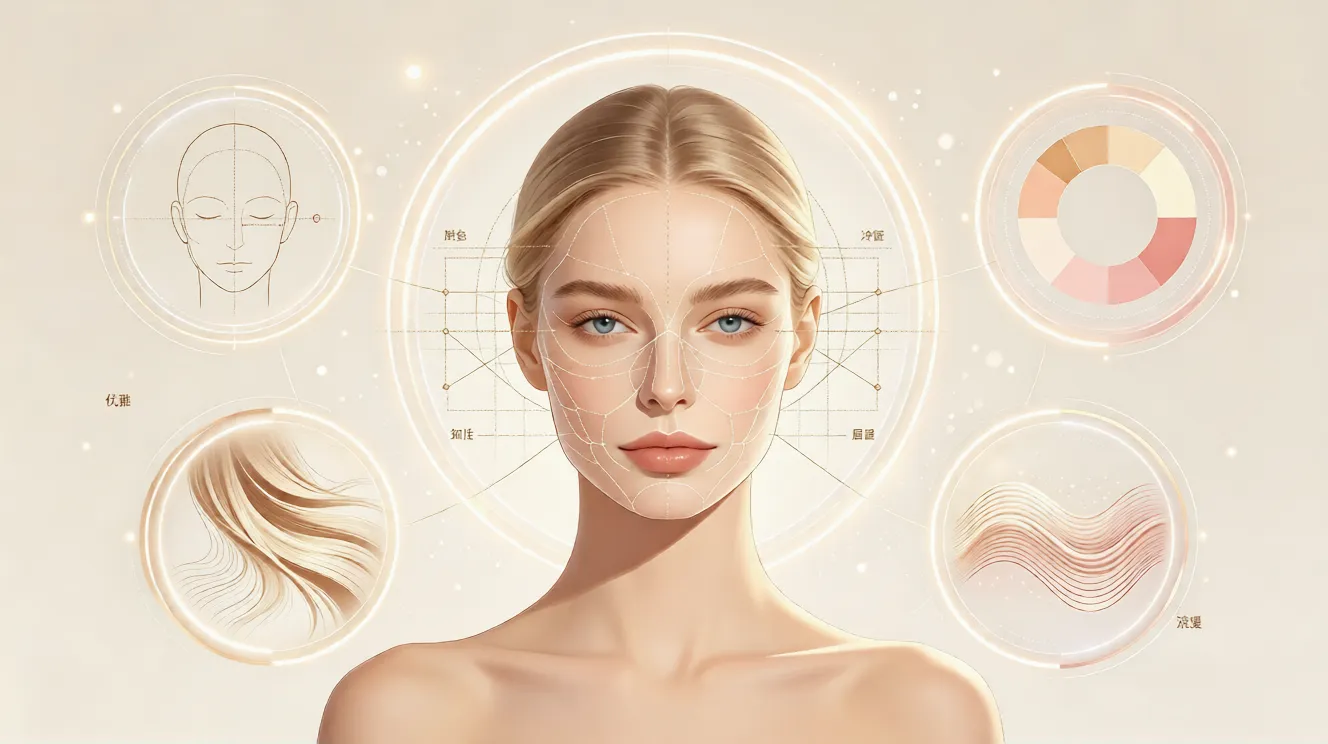
Why beginners trust an AI hairstyle analysis
First, it eliminates guesswork. Instead of scrolling through endless photos, you get personalized options based on your features. Second, it’s fast: a complete report and visual previews in seconds. Third, it’s user-friendly — no drawing skills or prompt writing required. Whether you’re trying a subtle trim or a bold change, the analysis helps you test ideas safely.
Using the report to preview looks
Once you receive the analysis, you can immediately preview suggested hairstyles and colors. If you want to explore further, the platform supports a template-based preview workflow: upload your photo, choose a template hairstyle and color, and generate a preview. Or, for a highly personalized test, upload your portrait and a hairstyle reference image, select a color, and generate a custom preview.
Plans, languages, and accessibility
There’s a free plan to get started and paid plans for more previews and higher-resolution results. The service supports multiple languages including English, French, Spanish, Chinese, Japanese, and Arabic, making it accessible to many users worldwide. All features are built to be straightforward for new users — just one click to begin.
Practical tips for best results
For a clear analysis, choose a front-facing portrait with even lighting and minimal obstructions (no sunglasses or heavy shadows). Natural hair visible around the face helps the system suggest more accurate styles. If you prefer privacy, you can use the free tier to test how the report looks before upgrading.
From report to confidence
An AI hairstyle analysis is a helpful first step whether you’re planning a major transformation or just curious. It gives objective, visual feedback and practical suggestions you can take to a stylist or use to try digital previews yourself. And because it pairs analysis with preview tools, you can go from insight to seeing the result in just a few clicks.
Get started in minutes
Ready to find styles that suit you? Upload a portrait, get your AI hairstyle analysis report, and explore previews without any drawing or writing — just one click to start. The platform is beginner-friendly and built to help you make confident hair decisions faster.
Comments
Share your thoughts about this article.
You must be signed in to post a comment.
Sign in to comment