
Create a Custom Hairstyle from a Reference Photo
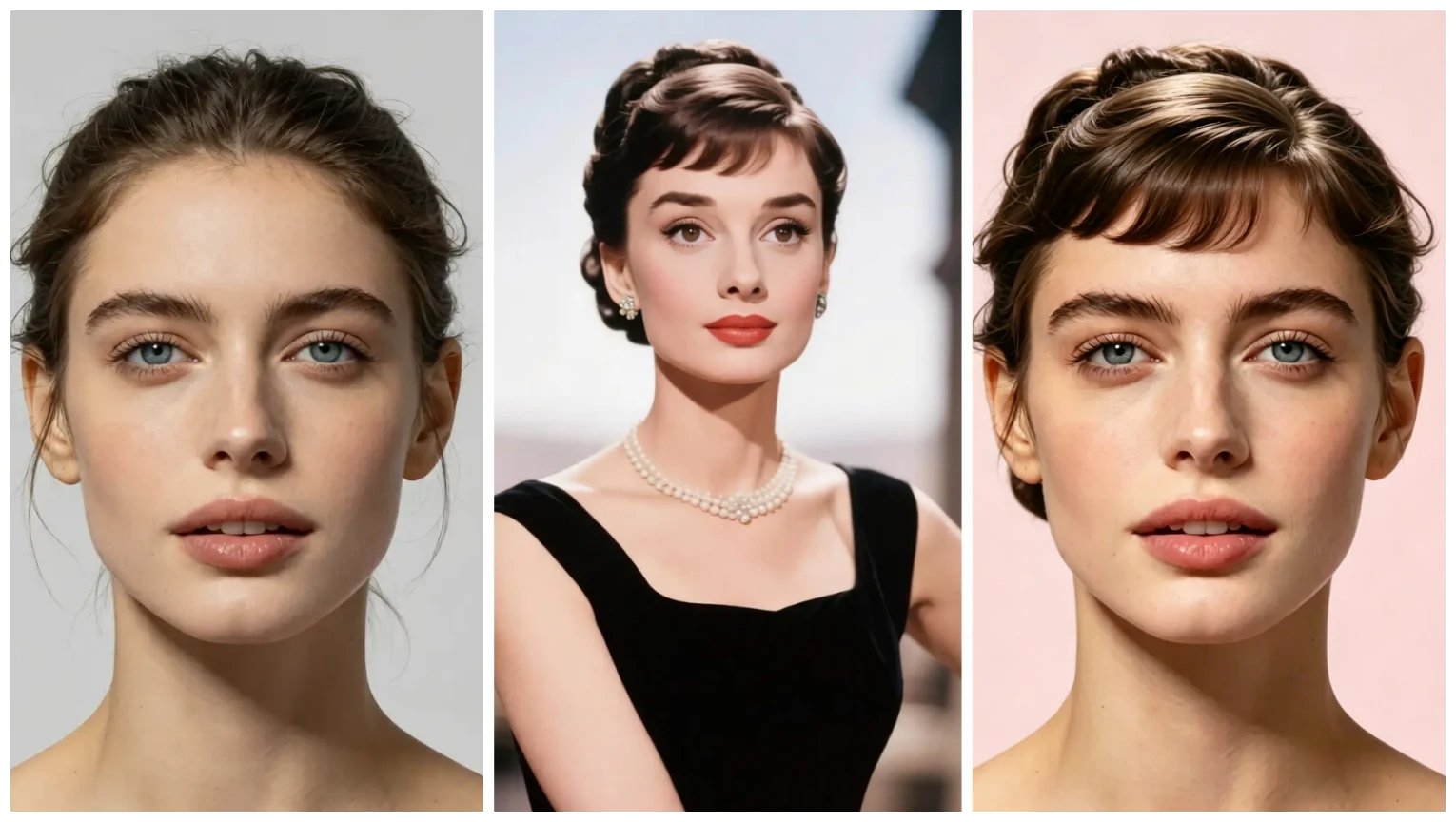
Learn how to create a custom hairstyle from a reference photo: upload your portrait and a hairstyle image, pick a color, and get a realistic preview in one click.
Turn a look you love into a hairstyle you can try
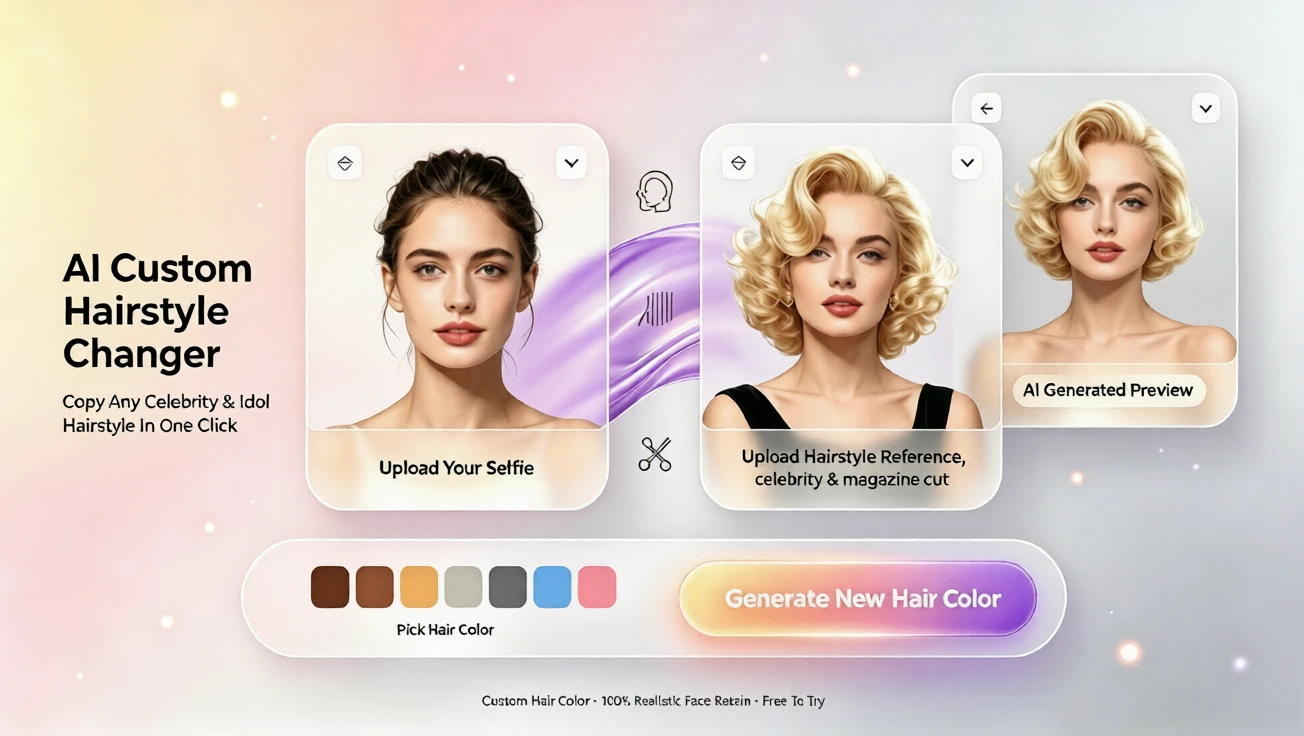
Using a reference photo to design your next haircut or color is one of the easiest ways to get a tailored preview. With our custom workflow, you simply upload a portrait and a hairstyle reference image, choose the color you want, and generate a realistic preview. No drawing skills, no prompt writing — just one click to start and see yourself in the style you admired.
Step-by-step: how the custom reference workflow works
1. Upload your portrait
Begin with a clear portrait. A front-facing or slightly angled photo works best. Natural lighting and minimal accessories make the preview more accurate, but the tool accepts most everyday photos.
2. Upload your reference hairstyle image
Pick a photo that shows the hairstyle you like: length, parting, texture, and any distinctive shape. It can be a celebrity photo, a haircut catalog image, or a snap you found online. The system maps the reference to your face and adjusts for angle and size.
3. Choose a color
Select from natural shades to bolder colors. You can try subtle highlights or a full color change. The preview updates to show how the reference cut looks with the color you picked, helping you decide before you commit.
4. Generate and review your custom preview
In seconds you’ll receive a high-quality preview that blends your portrait with the reference style. Use it to compare variations, save favorites, and show them to your stylist. The process is designed for beginners and requires no technical setup.
Tips for a better reference and realistic results
Choose a reference image with a similar face angle to your portrait. If the reference shows strong styling (heavy curls or dramatic volume), expect the preview to reflect that styling; some adjustments by a professional may be needed to match hair texture. If you want a color close to a real salon outcome, pick reference photos with good lighting and clear color details.
Try several references for the same length and shape to compare subtle differences. Save each preview so you can make a side-by-side comparison before booking a salon appointment.
What you can do after you generate a custom preview
Download and share the images, send them to your stylist, or use them to test variations (different colors or slightly altered lengths). The preview helps set expectations for how a style will frame your face, making consultations quicker and more accurate.
Plans, languages, and beginner-friendly features
We offer a free plan that lets you try basic previews, and paid plans with higher-resolution images and additional preview slots. The service supports English, French, Spanish, Chinese, Japanese, and Arabic to make it easy for international users. Everything is built so beginners can start with one click — there’s no need to learn complex tools or write prompts.
When to use a reference photo vs. templates
Reference photos are ideal when you’ve found a specific look you want to emulate. If you only want to explore popular cuts quickly, template hairstyles are an alternative where you choose from curated styles and colors. Both workflows are simple; the reference option gives the most personalized result for recreating a particular look.
Final thoughts
Trying a custom hairstyle from a reference photo is a low-risk way to test bold changes or subtle updates. Whether you’re curious about a dramatic chop or a new color, the hairstyle ai engine makes experimentation fast and approachable. Try the custom workflow today — upload your portrait and a reference image, pick a color, and generate a preview with one click. No drawing, no prompts, just visual confidence before you visit the salon.
Comentarios
Comparte tu opinión sobre este artículo.
Debes iniciar sesión para publicar un comentario.
Iniciar sesión para comentar