
Reference-Based Hairstyle Preview in One Click
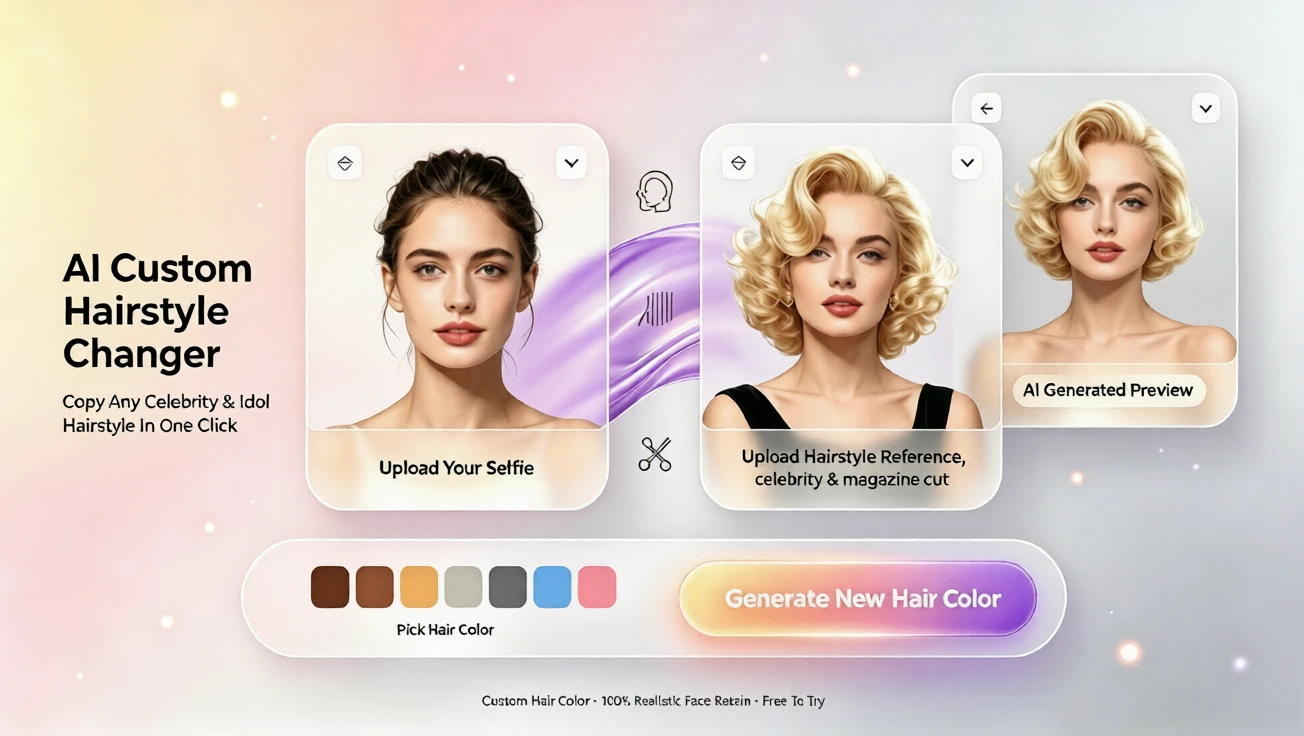
Use a reference photo to preview any hairstyle on your own portrait in one click. No drawing or prompts needed — upload, pick a color, and generate a realistic preview.
Turn a favorite photo into your new look — without drawing or prompts
Want to try a hairstyle you saw on social media or in a magazine but aren’t sure how it will suit you? With a reference-based preview you can place that exact style onto your portrait in seconds. There’s no need for drawing skills, no prompt writing — just upload your photo and the hairstyle reference, pick a color, and generate a realistic preview with one click.
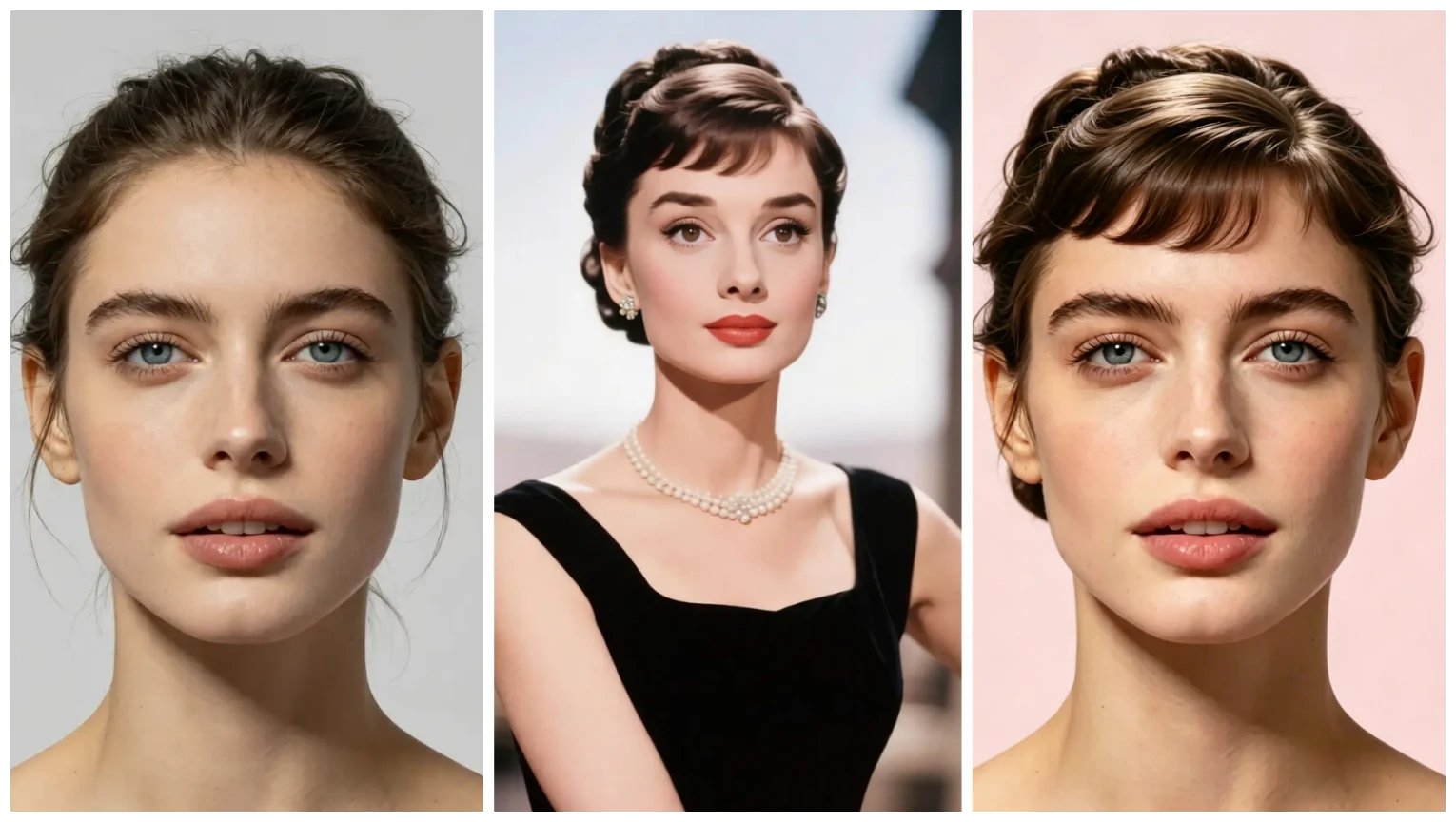
How it works: three simple steps
1) Upload a clear portrait photo. A well-lit, front-facing image works best. 2) Upload the hairstyle reference image (a photo or screenshot of the cut or color you like). 3) Choose a hair color from the palette and click Generate. The system blends the reference style onto your portrait and produces a custom preview you can use to decide your next look.
Why try a reference-based preview?
Using a reference image lets you test a specific haircut, fringe, or color treatment instead of guessing from generic templates. It’s ideal for planning a major change — like going short for the first time, copying a celebrity’s layered cut, or experimenting with a bold new color — because you can see the result on your own face and skin tone before you commit.
This workflow is beginner-friendly and fast: the process avoids technical prompts and complex editing, so anyone can get a realistic result with one click. It’s also helpful for communicating with a stylist — you can show your custom preview as a clear visual reference at your appointment.
Tips for the best preview
- Choose a clear reference image that shows the hairstyle from a similar angle to your portrait. Side or three-quarter views can work, but matching the angle helps the preview look natural. - Pick references that show hair texture and length clearly. If you want a layered bob, use a photo that highlights the layers rather than a distant shot. - Consider skin tone and lighting when choosing a color. The preview adapts color to your photo so you can see how warm or cool shades will appear on you.
What to expect from the preview
The generated image shows the reference hairstyle adapted to your face shape, hairline, and photo lighting. It’s not a substitute for professional color matching or a stylist consultation, but it’s a reliable way to narrow down options and visualize changes. If you’re experimenting with dramatic color, it’s wise to show the preview to your colorist so they can recommend the right technique to achieve the look.
Plans, languages, and support
There’s a free plan available so you can try reference-based previews without commitment, and paid plans if you want more previews or higher-resolution results. The platform supports English, French, Spanish, Chinese, Japanese, and Arabic, making it easy for users around the world to get clear previews and step-by-step help.
Useful use cases
- Copy a celebrity cut or trend and see if it flatters your face shape. - Test bold colors — from pastel pinks to rich brunettes — before booking an appointment. - Prepare a clear visual guide for your stylist by bringing the generated preview to the salon.
Beginner-friendly and fast
If you’ve never used a hairstyle generator before, the reference-based workflow is one of the easiest paths to realistic results. There’s no need to learn photo editing, draw or write prompts, or adjust complex settings. Upload your photos, choose a color, click once, and review a custom preview — that simplicity makes it a great starting point for anyone curious about a new look.
Ready to try?
Start by gathering a clear portrait and a hairstyle reference you love. Use the free plan to test one or two looks, and consider a paid plan if you want more flexibility or higher-resolution previews. Whether you’re curious about a subtle trim or a dramatic reinvention, the reference-based preview makes it easy to see the result on you first.
Commentaires
Partagez vos pensées sur ce article.
Vous devez être connecté pour publier un commentaire.
Se connecter pour commenter