
Top Tips for Getting Realistic Results With ai hair
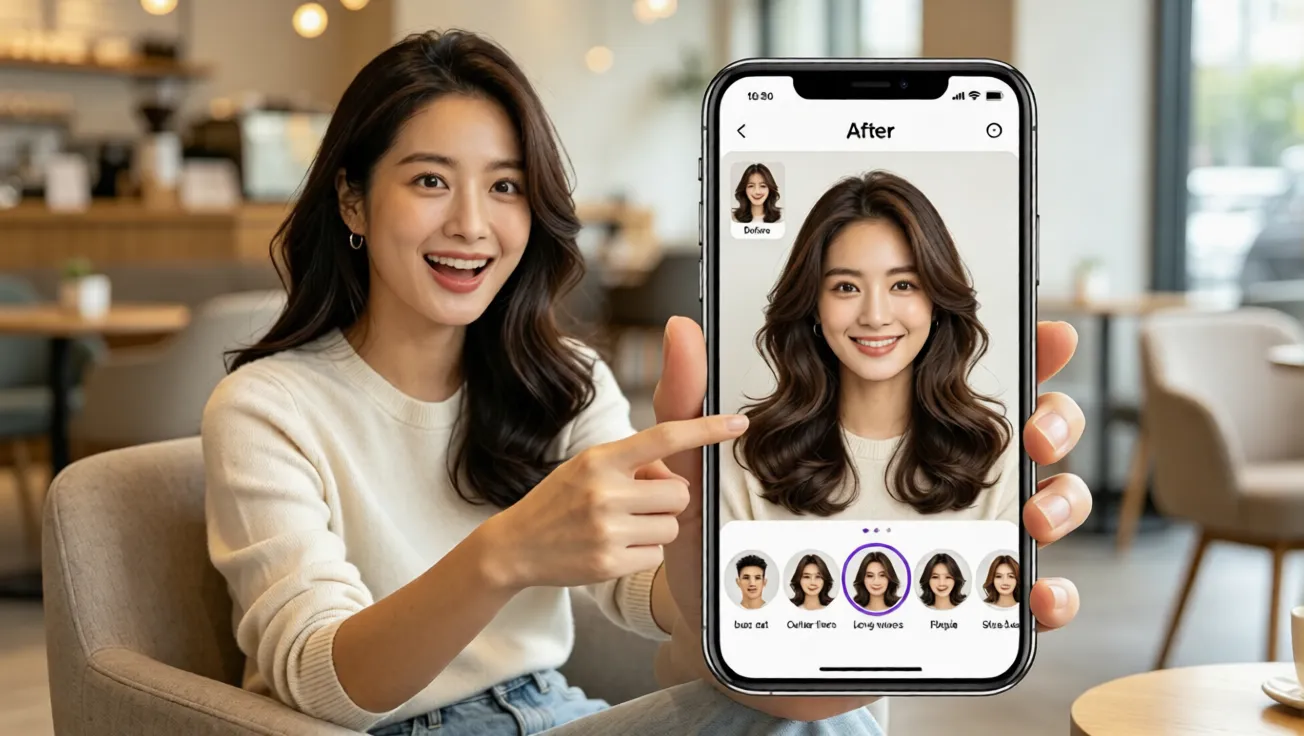
Get natural AI hairstyle try on results with tips on lighting, face shape, virtual hairstyle selection, and free virtual hair color testing for beginners.
Why Realistic AI Hair Results Matter
Changing your hairstyle can feel exciting, but it can also feel risky. Many people worry about a bad haircut, an expensive salon color, or a trend that does not suit their face. The good news is that ai hairstyle try on technology lets you preview a new look before making a real commitment. With aihairstyletryon.art, you can use a free ai hairstyle try on tool to test different lengths, textures, and shades without editing skills. The goal is not just to place hair on a photo, but to create a natural result that helps you decide with confidence.
Start With a Clear Photo
The quality of your photo has a direct effect on how realistic your virtual hairstyle appears. Use a front-facing image with soft natural light, a neutral background, and your hair pulled away from your face if possible. Avoid heavy filters, harsh shadows, sunglasses, or extreme angles. A clear photo helps the ai hair changer detect your facial features, hairline, and head shape more accurately. When the system understands your face better, the hairstyle simulator can blend the new style around your forehead, ears, and jaw with a smoother finish.
Match Hairstyles to Your Face Shape
Realistic results are not only about image quality. They also depend on choosing styles that fit your proportions. If you wonder how to see what hairstyle suits me, start by observing your face shape. Oval faces can often carry many styles, while round faces may benefit from added height or side-swept layers. Square jawlines can look softer with waves or curtain bangs, and heart-shaped faces may balance a wider forehead with chin-length volume. Using ai hairstyle for face shape options helps you compare looks quickly and avoid choices that feel unnatural.
Keep Hair Density and Growth Direction in Mind
Another tip for realism is to think about hair density and growth direction. If your natural hair is very fine, a preview with extreme volume may look impressive but less believable. If your hair grows away from the face, styles with a strong center part may need styling product in real life. Use the virtual hairstyle preview as a guide, then choose a version that matches what your hair can realistically do. The AI hairstyle try on result is most helpful when it balances fantasy and practicality.
Test Length, Texture, and Color Gradually
Do not feel pressured to jump from very long hair to a dramatic pixie cut in one step. Try medium lengths first, then compare bolder options. Test straight, wavy, and curly textures to see how each one changes your overall impression. For color, begin with natural shades before moving to fashion colors. A free virtual hair color try on can show whether warm brown, cool blonde, copper, or black complements your skin tone. This gradual method makes your virtual hairstyle try on session more useful and less overwhelming.
Common Mistakes to Avoid
A common mistake is using a low-resolution photo or a group picture where the face is too small. Another mistake is comparing only one style and deciding too fast. Some users also ignore skin undertone when testing virtual hair color, which can make blonde look washed out or black look too severe. Avoid extreme filters that change face proportions. If you want to learn how to try different hairstyles online, the best habit is to create several side-by-side previews, use natural lighting, and choose styles that enhance your features rather than hide them.
How to Use aihairstyletryon.art Step by Step
Upload Your Photo
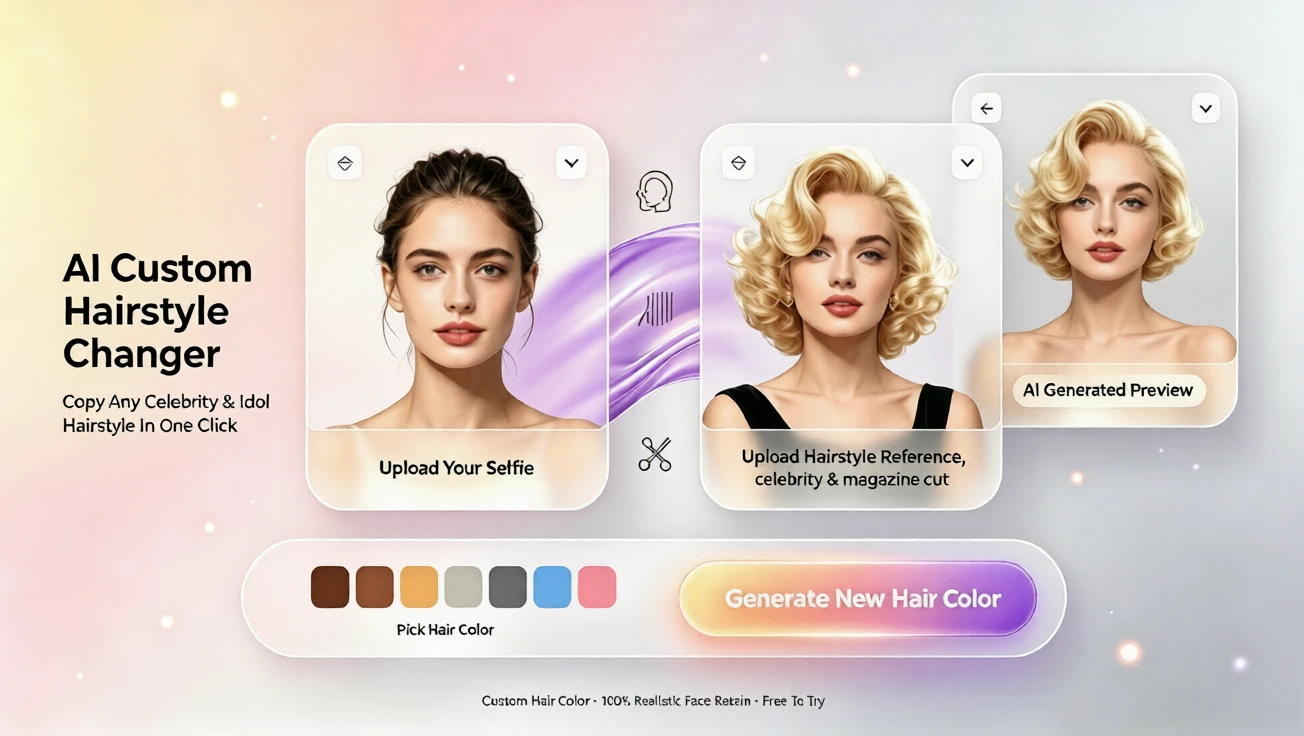
Open aihairstyletryon.art in your browser. There is no app download and no registration required. Upload a clear selfie or portrait, then let the online hair simulator process the image. Keep your face visible and your expression relaxed for the best result.
Choose a Hairstyle
Browse styles for men and women, including short cuts, long layers, curls, bangs, and trendy looks. Select a style and see it applied to your photo. The ai hairstyle generator adapts the shape and placement so the result follows your head position and facial structure.
Adjust Hair Color and Compare
After choosing a cut, try different shades with the virtual hair color feature. Compare natural black, brown, blonde, red, or bold tones. Look closely at the hairline, edges, and lighting. If a style looks too harsh, switch to a softer color or a different length until the result feels believable.
Check the Hairline and Lighting
The most convincing AI hairstyle try on results usually have a clean hairline and consistent lighting. Zoom in and check whether the new hair follows your natural forehead edge. It should not look like a sticker placed on top of your face. If the lighting in your photo is warm, the hair should also appear warm. If the photo is bright and cool, a very dark or flat color may look unnatural. A natural effect comes from balanced edges, soft shadows, and color harmony between your skin and hair.
Use Multiple Views Before Deciding
Do not rely on one preview only. Save or compare several virtual hairstyle options and look at them at different times of day. Ask yourself whether the style fits your lifestyle, clothing style, and maintenance comfort. A very short cut may look stunning but require frequent trimming. Long layers may look beautiful yet need more drying time. The purpose of the hairstyle simulator is to help you make a practical choice, not just a visually striking one.
Why AI Try On Is Better Than Guessing
Many people still choose haircuts from a single photo or edit images manually, but that approach takes time and often looks fake. An ai hair changer built for hair transformation gives you a faster and more realistic preview. It allows you to test many ideas in minutes, reduce salon uncertainty, and avoid expensive mistakes. Because aihairstyletryon.art is free, requires no app download, and needs no registration, you can experiment casually or seriously without pressure. If you are looking for the best virtual hairstyle app no download, a browser-based one-click AI hairstyle swap keeps the process simple.
Final Thoughts
Realistic AI hair results come from a clear photo, smart style selection, face shape awareness, and patient color testing. Instead of guessing or paying for a change you may regret, use aihairstyletryon.art to explore ai hairstyle try on, virtual hairstyle, and virtual hair color options in one place. Try the free AI hairstyle swap today and find the look that fits your face, personality, and daily routine with confidence.
Commentaires
Partagez vos pensées sur ce article.
Vous devez être connecté pour publier un commentaire.
Se connecter pour commenter